AI Agents for Sales: Hand Off the Busywork, Keep the Selling (9 Agents to Run)


AI agents for sales take the busywork off your week so the hours you get back go to the part of the job only you can do: selling.
It is 8:40 on a Monday. You have a forecast call at 11, three discovery calls this afternoon, and a pipeline that needs forty new names by Friday. Before your first dial you will export a list, clean it, look up emails, check who a teammate already touched, paste the survivors into a sequence, and read twenty overnight replies to work out which ones matter. By the time you pick up the phone, the morning is gone.
That is not a bad week. That is a normal one. Salesforce’s own research found that reps spend just 28% of their time actually selling. The rest is research, data, admin, and the gaps between tools. Every rep has said some version of the same sentence at their desk: just let me sell.
This guide is about making that sentence true. What an AI agent for sales actually is, which jobs to hand it and which to keep, nine agents worth running this quarter with the exact plain-English brief for each, and the guardrails that make it safe to switch them on (if you are comparing the new general agents from Meta, xAI and OpenAI, start with Muse, Grok Bot and Dots for sales).
TL;DR
- An AI agent for sales is a teammate with a job, not a chat window. You describe the outcome once, it runs on a schedule or on an event, and it reports back with what it did and why.
- Hand it the work between the selling: finding people who fit your ICP, researching them, finding and verifying emails, skipping anyone already in play, enrolling the right people in the right sequence, routing replies, and the morning numbers.
- Keep the selling: the calls, the discovery questions, the objection you hear for the first time, the negotiation, the forecast call. Agents clear the runway. You fly the plane.
- The best first agent is boring: a daily ICP prospector that adds 25 verified people to one sequence every weekday. It is also the easiest one to judge in week one.
- Safety is a setting, not a hope: a test run that changes nothing, approval before the first real run, a cap per run, and a reason for every contact it adds or skips.
- General agents can help, sales agents can finish. Muse, Grok Bot and Dots are great at research. They do not bring verified contacts, a sequencer, or a record of who was already touched. Salesgear agents do.
What an AI agent for sales actually is
Three things get called “AI for sales” and they are not the same.
- A chat assistant answers when you ask. It drafts, summarises and researches, then waits for your next message. It only works while you are typing.
- A sequence sends the steps you wrote to the people you added. It is automation, but someone still has to decide who goes in. That someone is usually you, at 8:40 on a Monday. (More on that in our sequencer guide.)
- An agent owns a job from start to finish. It decides who fits, does the research, checks the data, and puts the right people in the right sequence, on a schedule or the moment something happens. Then it tells you what it did.
The shift is from prompting to delegating. You stop asking for help with a task and start handing over the task. That is a management skill more than a technical one, and it is one every good seller already has: you know what a good prospect looks like, you know what a bad list costs you, and you know which replies need you personally.
Sales teams are already hiring for this
This is not a someday skill. Look at what sales leaders are asking for in job listings right now. Running agents is sitting on the same line as Sales Navigator and a dialer.
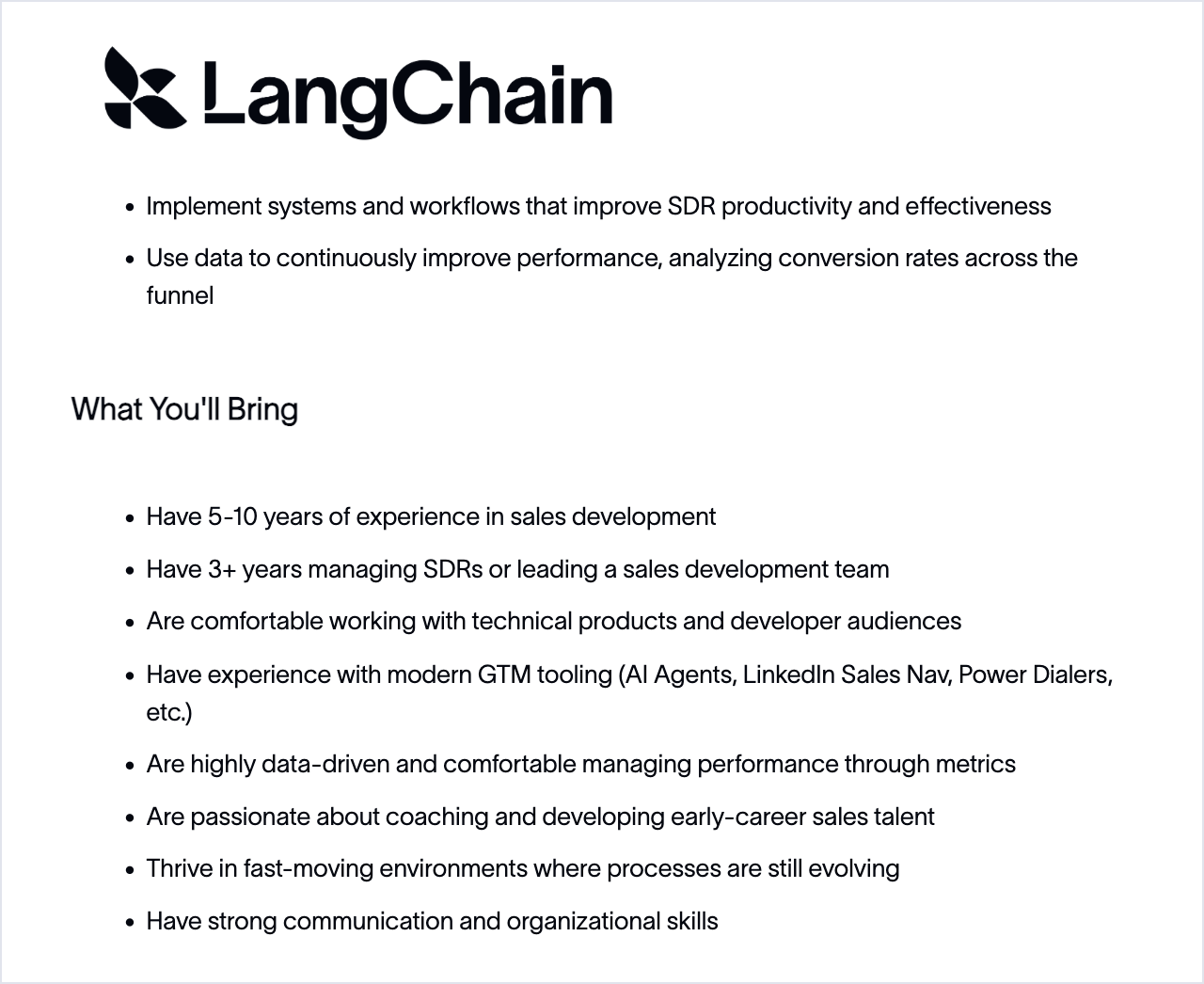
And on the operations side, companies are hiring people whose whole job is to build agents that take research, enrichment and outbound off the sellers’ plate, so the sellers can sell.
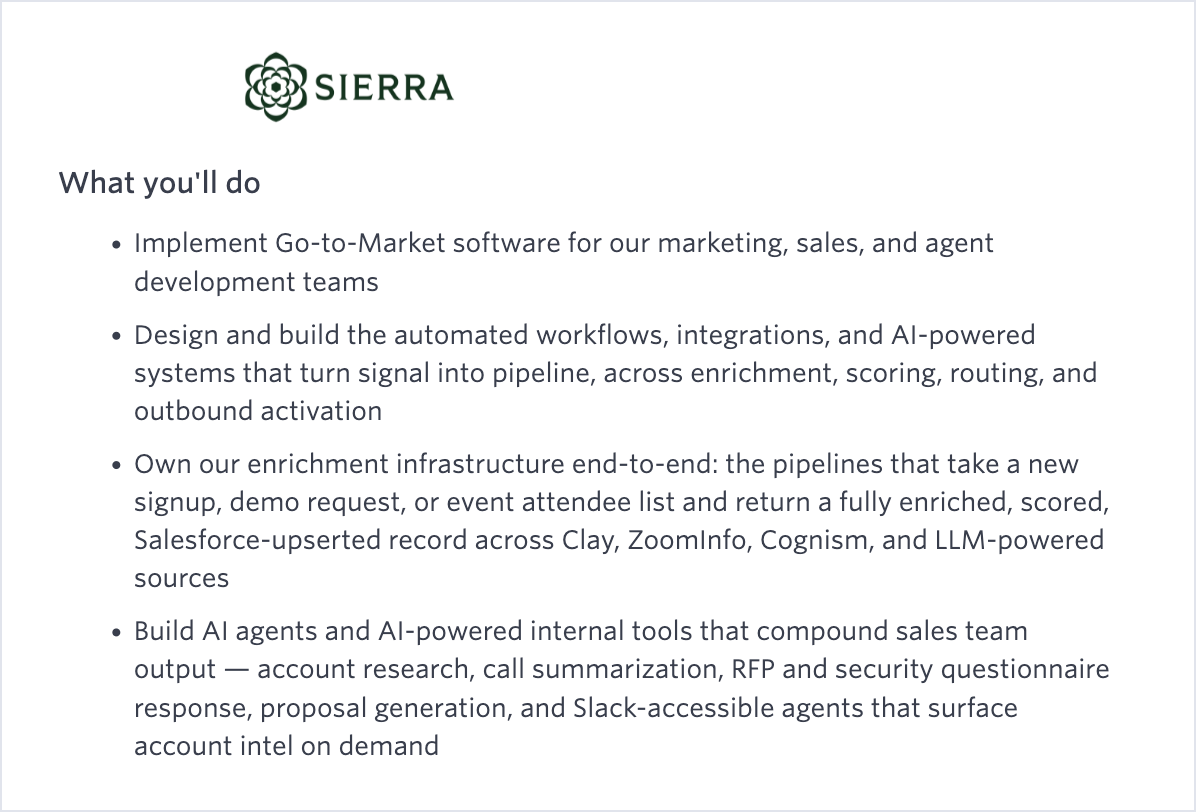
You do not need a GTM engineer to get the same result. You need the jobs written down clearly, and a tool that runs them on the data and sequences you already have. That is what the rest of this guide is for.
What to hand an agent, and what to keep
The simplest test: if a job has a clear rule, a clear input, and you do it the same way every time, an agent should own it. If the job needs judgement in the moment, or a relationship, it stays with you.
| Hand it to an agent | Keep it yourself |
|---|---|
| Finding people who match your ICP every morning | The first call with a champion |
| Researching each person and their company before outreach | Reading the room on a discovery call |
| Finding and verifying emails, skipping anything that would bounce | Handling the objection you have never heard before |
| Skipping do-not-contact, opted-out, and already-contacted people | Deciding which deals to push on the forecast call |
| Enrolling the right people in the right sequence | Negotiating price and terms |
| Sorting replies by sentiment, positive or negative | Replying to the positive ones, fast and personally |
| Posting yesterday’s email, LinkedIn and call numbers to Slack | Coaching and being coached |
Notice what is on the right. It is the part of the job most people got into sales for. The left column is what eats the morning.
9 AI agents for sales worth running this quarter
Each one below is written the way you would brief a new SDR: plain English, one outcome, clear limits. In Salesgear you type the brief and the agent is built from it, step by step, for you to review before anything runs. The same briefs work as a spec for any tool you use.
1. The daily ICP prospector
The one to start with. Every weekday it finds new people who fit your ideal customer profile, verifies them, and enrolls them in one sequence. You wake up to a fuller pipeline instead of a blank list.
Every weekday at 8am, find 25 new VPs and Directors of Sales at US B2B SaaS
companies with 50 to 500 employees. Verify their emails, skip anyone we have
already contacted or who opted out, and enroll them in "Q4 Founder Outreach".
2. The list prospector
You already have a list or a saved search from an event, a partner, or a territory review. This agent works it: pulls the contacts, enriches them, and enrolls the ones that are ready.
Take my saved search "Fintech CFOs, NYC", enrich everyone on it, and enroll
the ones with a verified email in "CFO Cost Story". Cap it at 50 per run.
3. Companies to people
Start from companies instead of people. Give it a company search and it finds the buyers inside each one, so you stop guessing who to email at an account you already like.
Find US logistics companies with 200 to 2,000 employees. At each one,
find the Head of Sales and the RevOps lead, verify them, and enroll them
in "Logistics Sales Leaders".
4. The lookalike prospector
Your best customers are the best ICP you have. Give it up to five of them and it finds companies that look the same, then the people inside them.
Here are our five best customers. Find 20 companies that look like them,
find the sales leader at each, and enroll them in "Customer Lookalikes".
5. Target accounts (ABM)
For the account list your leadership already agreed on. The agent maps the buying committee at each account so every account gets worked, not just the ones someone remembered.
Work my "Q4 Target Accounts" list. At each account find the VP Sales,
the CRO and the Sales Ops lead, enrich them, and enroll them in "ABM Q4".
Skip anyone already in an open sequence.
6. The LinkedIn import
The people who reacted to a post, attended a webinar, or sit in a Sales Navigator search are warm. This agent brings them in, enriches them and puts them in a sequence while the moment is still fresh.
Import everyone who commented on our launch post this week, enrich them,
and enroll the ones with a verified email in "Post Engagers".
7. The event agent
Reacts the moment something happens to a contact: a LinkedIn connection is accepted, a contact finishes a sequence with no reply, a call is logged, a stage changes. Speed is the whole point.
When someone accepts my LinkedIn connection request, check they fit our ICP
and enroll them in "New Connection Follow-up" right away.
8. The reply router
The first twenty minutes of every morning, handled. When a contact replies, the agent routes them by sentiment: positive replies get acted on, negative ones stop all outreach so nobody gets a follow-up after saying no.
When a contact replies to any email, sort the reply. If it is positive, create
a call task for me today. If it is negative or an opt-out, stop all their
sequences.
9. The daily activity report
Every morning, yesterday’s email, LinkedIn and call numbers land in Slack, for you or your whole team. No more building the Monday slide by hand.
Every weekday at 8:30am, post yesterday's emails sent, replies, LinkedIn
touches and calls logged for my team to #sales-daily.
How to set up your first agent in 10 minutes
Here is the flow in Salesgear, and a good checklist for any agent you run.
- Describe the job. Type the brief in plain English, or start from one of the nine templates above. Salesgear turns it into a step-by-step flow: source, filters, enrichment, the action. You can read and edit every step.
- Set who it looks for. For an ICP agent, build the search in List Builder from your seller profile, or pick a saved search you already trust. The agent will not run until this is set.
- Do a test run. It shows who the agent would add and why, step by step. Nothing is sent, nobody is enrolled, and no credits are spent on the actions.
- Set the limits. A cap per run, a credit ceiling, and whether every run needs your approval or only the first one.
- Switch it on. Pick the schedule and your timezone, or the event that should trigger it. The first real run waits for your approval before anyone is enrolled.
- Read the first week. Every run lists each contact with what happened and the reason: added, skipped because they bounced, skipped because a teammate owns them. Tighten the brief if the reasons surprise you.
Under the hood every agent works on the same data your team already uses: 800M+ contacts with 95% direct-dial and mobile coverage, Deep Research on each person before outreach, and your own contacts, sequences and opt-outs. The agent enrolls. The sequence sends, with your inboxes, send windows, bounce handling and reply detection.
General agents vs sales agents: the same job, twice
The new always-on agents from Meta (Muse), xAI (Grok Bot) and OpenAI (Dots) are genuinely useful for research. Here is what happens when you give one of them, and a Salesgear agent, the same brief: every weekday, find 25 VPs of Sales at Series A SaaS companies and add them to my founder sequence.
| Step | General agent | Salesgear agent |
|---|---|---|
| Find the right people | Browses the web and guesses at titles | Searches 800M+ contacts with your ICP filters |
| Get an email | Guesses a pattern or scrapes a page | Finds and verifies it, skips anything that would bounce |
| Avoid double-touching | Has no idea who your team already contacted | Skips anyone in a sequence, opted out, or on do-not-contact |
| Research | Strong, but you paste it somewhere | Deep Research attached to the contact, used by the sequence |
| Start outreach | Drafts emails for you to approve one by one | Enrolls them in your sequence, which handles sending |
| Tomorrow | You ask again, or maintain a routine | Runs at 8am in your timezone, reports every contact and why |
The general agent gets you a research memo. The sales agent gets you a fuller pipeline. Use both: let the general agent watch accounts and prep meetings, and let the sales agent do the prospecting it was built for.
xAI’s own launch post says it plainly: agents that sign in to your tools and come back with finished work. That is the right idea. The difference for sales is which tools, and whose data.
The guardrails that make it safe
The fear with any automation that touches prospects is simple: it does something you would never do, to a lot of people, while you are asleep. Good agents make that impossible by design.
- Test before it touches anything. A dry run shows exactly who it would add and why.
- Approve the first run. Outbound waits for you the first time. Keep approval on every run if your market is small or sensitive.
- Cap it. A per-run limit and a credit ceiling mean a bad brief costs you a little, not a lot.
- Respect every opt-out. Do-not-contact, opted-out and bounced contacts are skipped, every run.
- Stop it any time. A running agent can be stopped mid-run, and you can watch it work live.
- Ask for the reason. Every contact added or skipped comes with the why. If you cannot see why an agent did something, do not let it do more of it.
What good looks like after 30 days
Judge an agent on the pipeline it feeds and the hours it gives back, not on how clever it sounds. For cold outbound to US buyers, a reply rate around 2% is a healthy result today, so the win usually shows up first as volume you did not have to build by hand, then as meetings from a list that stayed clean. If replies sit well under that, fix the targeting in the brief before touching the copy. For more on what healthy numbers look like, see our guide to AI SDR tools.
And the part that matters most: look at your calendar. The morning that used to go to list building should now go to calls. That was the point.
Related reading
- Muse, Grok Bot and Dots for sales: what each new AI agent can do
- The AI SDR stack: build vs buy
- MCP for sales teams
- Claude Cowork for sales teams
Frequently asked questions
An AI agent for sales is software that owns a sales job from start to finish instead of answering one prompt at a time. You describe the outcome once, for example finding 25 people who fit your ICP every weekday and enrolling them in a sequence, and the agent runs on a schedule or on an event, then reports what it did and why for every contact.
Automate the rule-based work between the selling: finding people who match your ICP, researching them, finding and verifying emails, skipping anyone already contacted or opted out, enrolling the right people in the right sequence, routing replies by sentiment, and daily activity reporting. Keep calls, discovery, objection handling, negotiation and forecasting for yourself.
They are when the guardrails are built in. Look for a test run that changes nothing, approval before the first real run, a cap on contacts per run and a credit ceiling, automatic skipping of opted-out and do-not-contact contacts, the ability to stop a run at any time, and a reason recorded for every contact the agent adds or skips.
An AI SDR usually describes a product that tries to replace the prospecting role end to end, often including writing and sending emails. An AI agent is narrower and more controllable: it owns one job you define, like daily prospecting or reply routing, and hands off to your existing sequences for sending. Many teams run several agents, each with one job.
No. Salesgear agents find, research, verify and enroll contacts into your sequences, route replies, and report activity. Sending is handled by the sequence, with your connected inboxes, send windows, bounce handling and reply detection, so every email follows the same rules as the rest of your outreach.
About ten minutes for a first agent in Salesgear: describe the job or pick a template, set the ICP or saved search it should use, do a test run, set a per-run cap and approval, then switch it on. Plan to read every run for the first week and tighten the brief based on the reasons it gives.

Premsanth Rajamani leads marketing and growth at Salesgear. An engineer by background, he runs the company's growth engine hands-on, from SEO and content systems to the AI workflows behind them, and writes practical guides on prospecting, outbound strategy, and putting AI to work in real sales and marketing motions.