Zoho CRM Data Enrichment in 2026: What Zia Does (and Where It Stops)

TL;DR: Zoho CRM data enrichment exists and it’s built in: it’s called Zia Data Enrichment, and it fills company and people fields automatically from public web data. But it comes with three limits most teams discover too late: the richest capability is gated by edition (the enrichment API is Enterprise/Ultimate-only), usage runs on per-organization credit limits, and it sources from the public web, which means it is not a verified mobile/direct-dial database. This guide covers exactly what Zia enriches, how to enable it step by step, where it stops, and how Zoho teams fill the gap, including with Salesgear, an outbound layer Zoho itself has featured.
Does Zoho CRM have data enrichment?
Yes. Zoho CRM includes Zia Data Enrichment, part of Zoho’s Zia AI. You designate certain fields as triggers, a company name, email address, or website URL, and when a trigger field is filled on record creation or update, Zia crawls public web data and populates the mapped fields: industry, employee count, revenue, address, social profiles, and (where publicly available) emails and phone numbers. It works at both the company (organization) level and the person (people) level, across Leads, Contacts, Accounts, and even custom modules (Zoho documentation).
For basic firmographic fill, it’s a genuinely useful built-in starting point, no third-party tool required. So the honest answer is not “Zoho has no enrichment.” It’s that Zia enrichment is narrower than most teams assume, and the gaps land exactly where outbound sales lives. The rest of this guide maps both halves: what it does well, and where it stops.
How to enable Zia Data Enrichment in Zoho CRM
Setup takes a few minutes if your edition includes it (more on editions below):
- Go to Setup → Zia → Data Enrichment and click Get Started.
- Click New Enrichment and select the module to enrich, Leads, Contacts, or Accounts (custom modules are supported too).
- Choose your trigger fields, typically name, company name, email, or website URL. These are what Zia uses to look the record up.
- Map the fields to enrich (industry, employee count, revenue, social profiles, phone, etc.). Zia’s enrichment fields are mapped to standard Zoho fields by default, but you can remap to custom fields, or set any field to None so Zia never touches it.
- Click Save. From then on, when a trigger field is filled on create or update, Zia enriches the mapped fields automatically.
Reps can also enrich on demand: on a record’s create page, an Enrich data link appears once a primary field is filled; on an existing record, it’s under the ellipsis (⋯ → Enrich data). Either way, Zia shows a side-by-side of current values vs found values, and the rep chooses which fields to accept, a sensible safeguard against overwriting good data.
Two admin features worth knowing: Enrichment History (Setup → Zia → Data Enrichment → History) is an audit log of every enrichment, who, what record, which fields, when, that also lets you distinguish Zia’s field updates from manual ones. Enrichment Usage shows your monthly limit, average consumption, and a per-module breakdown, which matters because of the credit limits covered next.
What Zia enriches, and how
Zia works from public web data: give it a name, company, email, or website and it fetches whatever it can find and match. Per Zoho’s own field taxonomy, company enrichment can fill:
- Identity: organization name, address, CEO, decision maker, logo, “about the company,” product offerings
- Contact: email, primary and secondary contact numbers, website
- Classification: industry, business type, business size, business model, headquarters country, business locations
- Numbers: employee count, annual revenue, years in business
- Social: Facebook, X (Twitter), Skype, and other social/URL fields
People enrichment runs separately (configured per module by data type) and fills person-level details, title/designation, contact info, social profiles, from public sources.
The key thing to understand: this is public-web lookup, not a verified contact database. Zia can attempt to fill an email or phone field, and it’s genuinely handy for firmographic blanks. But a number scraped from a website footer is usually a switchboard, not a decision-maker’s mobile, and there’s no phone-verification step behind it. That distinction drives everything in the next section.
Where Zia Data Enrichment stops: the three real limits
Three limits, from Zoho’s own documentation and how the feature is built:
| Limit | What it means in practice |
|---|---|
| Edition-gated (with a nuance) | Zoho’s current help center lists company data enrichment as available on all paid editions, with edition-based usage limits, but the Zia enrichment API is Enterprise and Ultimate only (Zoho API docs), and the broader Zia AI suite unlocks at Enterprise. In money terms: Enterprise is $40/user/month and Ultimate $52/user/month (annual billing), versus $14 Standard and $23 Professional. Teams on lower tiers get, at best, tightly limited enrichment. |
| Credit-limited | Enrichment runs on per-organization limits (daily/monthly, varying by edition, Zoho links edition-based limits from the Usage screen). Bulk-import 10,000 leads and you’ll hit the cap; the remainder sits un-enriched until limits reset or you buy add-ons. This is why the Usage dashboard exists. |
| Public-web sourced, not phone-verified | Zia scours the public web. It can fill emails and phones where they’re publicly listed, but it is not a verified mobile/direct-dial database, connect-worthy numbers are hit or miss, and freshness is nowhere near real-time. For firmographics this is fine; for outbound calling it isn’t. |
One accuracy note we’d flag on other guides you may read: it’s not true that “Zia provides no phone numbers”, it does people enrichment and can fill phone fields. The honest limit is verified, reliable, reachable phone coverage, which no public-web crawler provides.
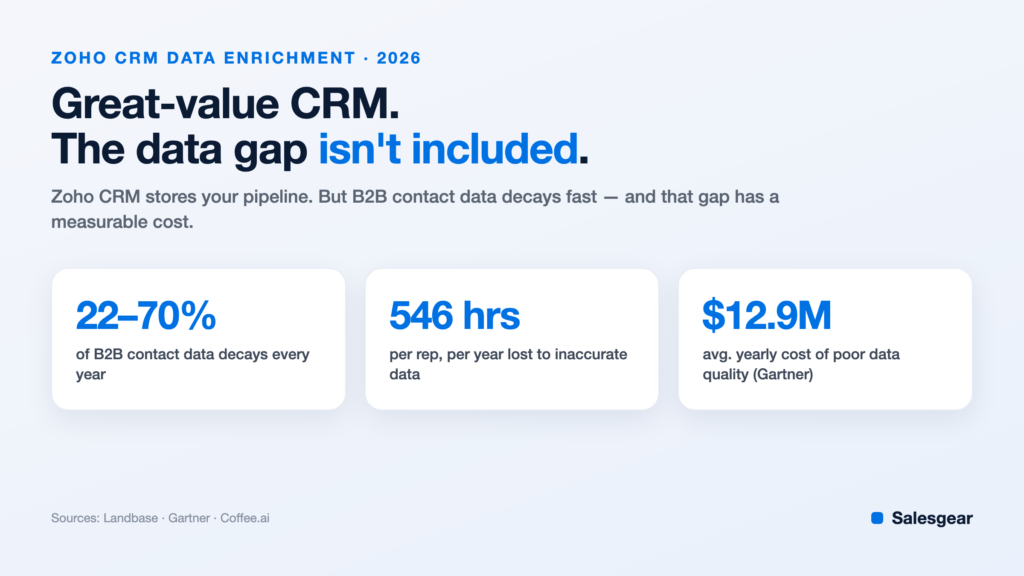
And a universal caveat that applies to Zia and every other tool: B2B contact data decays 22-70% per year, with emails going stale at roughly 3.6% per month (Landbase). Gartner pegs the cost of poor data quality at ~$12.9M per year for the average organization, with reps losing ~546 hours a year to bad or missing data (Coffee.ai). Zia fills company blanks; it does not, by itself, keep your prospects reachable.
The gap for outbound teams
If your Zoho CRM is mostly a system of record, inbound leads, account management, renewals, Zia plus good hygiene may be all you need. If you run outbound, three gaps show up fast:
Verified mobile and direct-dial numbers. The single field that unblocks stalled deals is the one public-web enrichment can’t reliably source. Phone-verified data (verified by connection, not scraped) is what dedicated providers exist for.
Why-now research signals. Zia fills static firmographics. It doesn’t tell you the account just hired a new VP of Sales, raised a round, posted 15 SDR openings, or installed a competitor, the context that makes outreach land this week instead of never.
Cold-grade sending. Zoho’s email is built for opted-in campaigns on shared sending infrastructure, right for newsletters and nurture. Push cold volume through it and bounces and spam complaints can damage the sender reputation your inbound email depends on. Cold outreach belongs on mailbox-based sending with warm-up, with activity synced back to Zoho.
Zoho CRM enrichment options, compared
You have three broad ways to enrich data in Zoho, and they’re not mutually exclusive, many teams layer them:
| Option | Best for | Watch-out |
|---|---|---|
| Zia Data Enrichment (native) | Automatic firmographic fill inside Zoho, zero extra vendors | Deepest capability on Enterprise/Ultimate; credit-limited; public-web sourced, not phone-verified |
| Zoho Marketplace / native integrations | Adding a specific data vendor without middleware | Few major providers list natively, verify integration depth and the vendor’s verification method |
| Dedicated outbound layer (e.g., Salesgear) | Verified direct dials + research signals + cold sending, synced two-way | Best fit when your motion is outbound, not just record-keeping |
On the middle row, here’s what actually exists as of mid-2026, worth knowing because most vendors claim Zoho support that turns out to mean Zapier:
- Lusha has a dedicated Zoho Marketplace extension with bi-directional sync and auto field mapping, the most direct “plug a data vendor into Zoho” option for self-serve prospecting.
- Apollo offers a native Zoho CRM integration configured from Apollo’s side (not a Marketplace listing).
- Cognism integrates with Zoho CRM, the strongest option if EMEA phone-verified mobiles are the priority.
- Clearbit’s old Zoho Marketplace extension still exists, but post-HubSpot-acquisition (it’s now Breeze Intelligence) the standalone path has narrowed considerably; treat it as legacy.
- Most everything else, ZoomInfo, Clay, UpLead, Hunter, LeadIQ, connects to Zoho via Zapier, Zoho Flow, or custom API, which works but adds middleware to maintain.
For the wider tool landscape beyond Zoho specifics, see our guide to the best B2B data enrichment tools.
Zoho CRM data quality best practices
Enrichment only pays off on a clean base. Five habits keep Zoho data trustworthy:
- Deduplicate first. Use Zoho’s de-dupe (by email/company) before enabling auto-enrichment, so you’re not spending credits completing duplicate records.
- Set trigger fields deliberately. Every trigger-field update can fire an enrichment. Too many triggers burn your credit allowance on low-value updates, check the Usage dashboard monthly.
- Protect good data. Use Zia’s field mapping (set fields to None) and the accept/reject review step so enrichment fills blanks rather than overwriting values a rep already verified. Apply the same “never overwrite non-empty fields” rule to any third-party layer you add.
- Enrich on a cadence, not once. Data decays monthly, so re-enrich on meaningful triggers, new lead created, deal stage change, account revived, and run a fuller pass every 3-6 months.
- Validate before you send. Verify emails at send time (real-time MX/catch-all checks), so publicly scraped addresses don’t bounce and hurt deliverability. Use Enrichment History to audit what Zia changed and when.
How Salesgear fits (featured by Zoho)
Because Zia’s strengths are firmographic and its phone data is unverified, Zoho teams running outbound typically add a dedicated layer. Salesgear is a natural fit for a specific reason: it’s native to Zoho, a live Zoho Marketplace app, and Zoho itself featured it in an App Spotlight, describing it as a prospecting and multi-channel engagement platform that makes Zoho CRM the central hub of an outbound sales strategy (Zoho blog).
What it adds on top of Zia, on any Zoho edition:
- Verified emails and direct dials, the reachable data Zia doesn’t source. verified emails and 95% direct-dial/mobile accuracy (Salesgear-reported)
- Deep Research signals, urgency-scored, why-now context per contact and account
- Cold-grade sending with warm-up, mailbox-based email built for outbound, so cold volume never touches Zoho’s shared infrastructure
- Two-way sync, enriched fields, opens/clicks/replies, and call activity flow back onto the Zoho record automatically (see the Zoho integration)
The division of labor is clean: keep Zoho CRM as the system of record, let Zia handle firmographic fill, and add a dedicated layer for reachable data, research, and cold sending, all synced back to Zoho.
A real example: the deal that ghosted
You sent a strong proposal; your champion loved it; then silence. Zoho shows a stalled deal, a last-activity date, and one email address, the person who stopped answering.
- Widen the account. Pull the other decision-makers on the account, including the person your champion reports to.
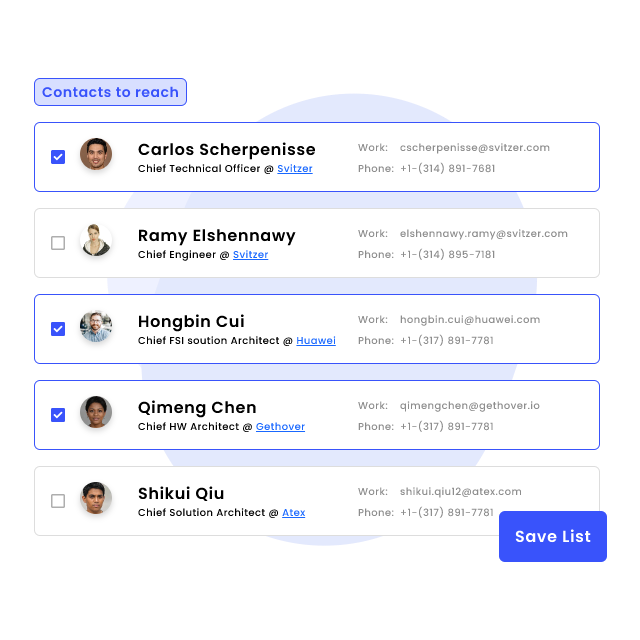
- Get a real number. Enrich the economic buyer’s verified mobile or direct dial, the field public-web enrichment doesn’t reliably provide.
- Call them. A short, human call to the economic buyer restarts deals a fifth follow-up email never would.
- It logs back to Zoho. The call and its outcome land on the contact and account timeline automatically, so the CRM stays the source of truth.
Frequently asked questions
Does Zoho CRM have data enrichment?
Yes, Zoho CRM includes Zia Data Enrichment, which fills company and people fields from public web data using trigger fields like company name, email, or website. Usage is credit-limited by edition, the enrichment API requires Enterprise or Ultimate, and it does not source verified mobile or direct-dial numbers.
Which Zoho editions include data enrichment?
Zoho’s help center currently lists company data enrichment for all paid editions with edition-based limits, but the deepest capability sits on Enterprise ($40/user/mo) and Ultimate ($52/user/mo): the Zia enrichment API is restricted to those editions and the broader Zia AI suite unlocks at Enterprise. Teams on Standard or Professional should expect tight limits and plan for a third-party layer.
How do I enable data enrichment in Zoho CRM?
Go to Setup → Zia → Data Enrichment → Get Started, click New Enrichment, pick the module (Leads/Contacts/Accounts), choose trigger fields such as company name or website, map the fields to enrich, and save. Records then enrich automatically when a trigger field is filled, or on demand via the “Enrich data” link on a record.
Does Zoho enrichment provide phone numbers?
Zia can fill phone fields where numbers are publicly listed on the web, but it is not a phone-verified database, coverage and reliability of mobiles and direct dials are limited versus dedicated providers. Teams that need connect-worthy numbers add an enrichment layer that syncs verified dials back to Zoho.
How do I enrich Zoho CRM with verified mobile numbers?
Use an enrichment layer that appends phone-verified mobile and direct-dial numbers and syncs to Zoho with field-level control. Salesgear, on the Zoho Marketplace and featured by Zoho, enriches verified dials and pushes them onto the Zoho record automatically; Lusha and Cognism also integrate with Zoho.
Can you send cold email through Zoho CRM?
Zoho’s email is designed for opted-in campaigns; running cold outbound at volume through it risks your sender reputation on shared infrastructure. Cold outreach belongs on mailbox-based sending with warm-up, with the activity synced back to Zoho CRM.
How do I enrich data without overwriting good records?
Use Zia’s field mapping to exclude protected fields (set them to None) and rely on the accept/reject comparison when enriching, so only blanks get filled. Apply the same rule to third-party tools: fill gaps, never overwrite non-empty, recently verified fields.
Sources
- Zoho, Zia Data Enrichment (company)
- Zoho, Data Enrichment FAQs (editions & credits)
- Zoho developer, Zia enrichment API (Enterprise/Ultimate)
- Zoho, App Spotlight: Salesgear · Salesgear on Zoho Marketplace
- Zoho, CRM pricing · Lusha, Zoho Marketplace extension
- Landbase, B2B data decay · Coffee.ai, Gartner cost of bad data

Vinodh Kumar is the Co-Founder and Director of Engineering at Salesgear, where he leads engineering, platform architecture, and product development. He previously held engineering roles at Adapt.io, Owler, and Aricent, building scalable SaaS products and distributed systems. He writes about AI in sales, MCP, deliverability, and the engineering behind outbound at scale, with one focus: fixing outbound with better data, smarter automation, and real conversations.